
Welcome to Abstra

👋🏼 Abstra helps you build and automate business processes faster using Python.

It consists of two main parts:

  • 🧩 Abstra Editor: A development environment to build and test workflows.
  • ☁️ Abstra Cloud: A cloud environment to host, monitor, and manage your production workflows.

Abstra Editor
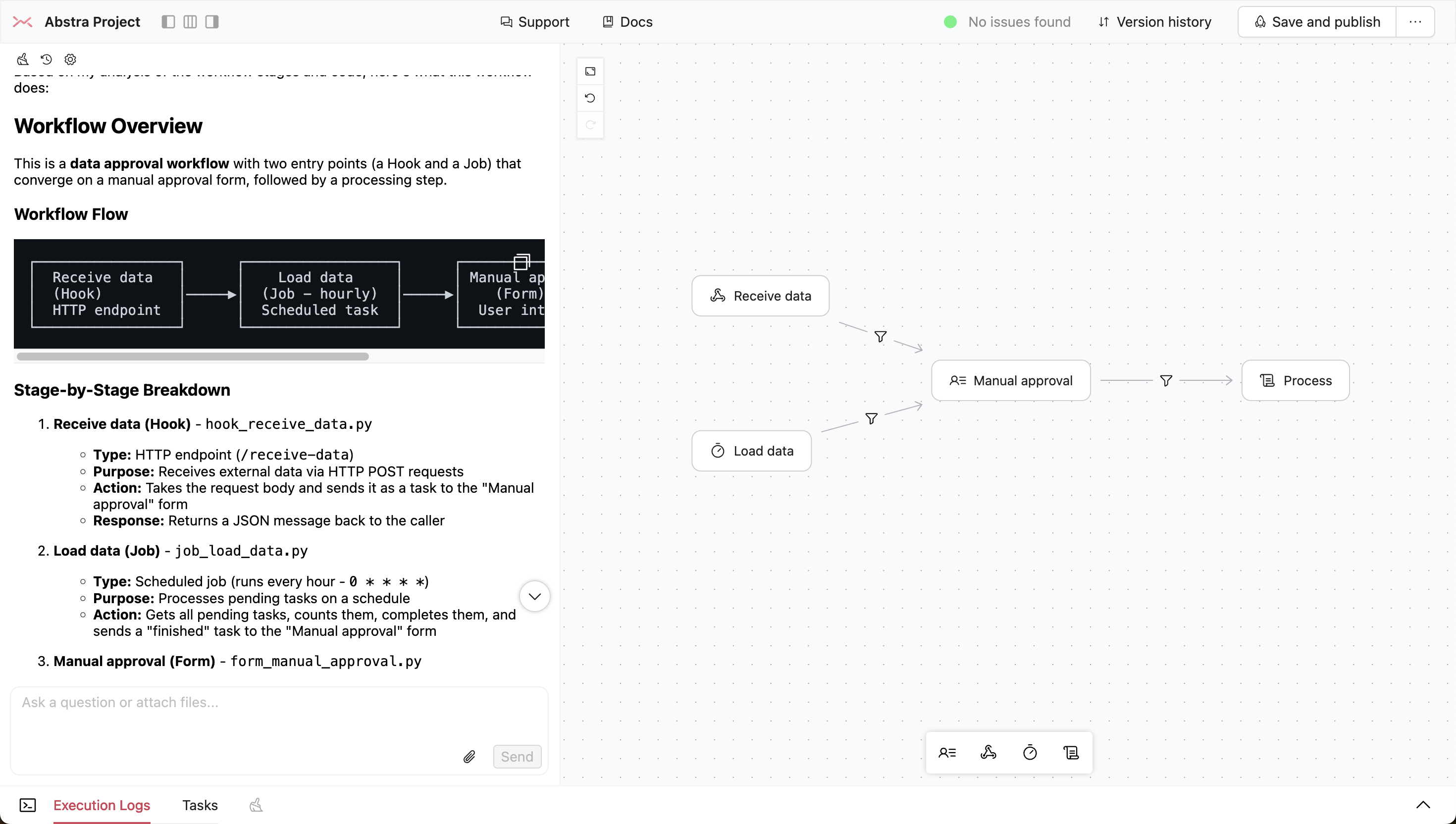
Local Editor

The Web Editor is the easiest and fastest way to start building with Abstra. Develop directly in the cloud with no local setup required.

  1. Sign up or log in to Abstra Cloud.
  2. Ensure you have an Organization and a Project.
  3. Open the Web Editor:
    • Empty project: Click the Open Editor button in the homepage of Abstra Cloud.
    • Existing project: Click the Edit Online button (pencil icon) in the Workflow Preview.

Local Editor (Optional)

For developers who prefer working locally with their own IDE (like VS Code) or need Git integration, you can run the Abstra Editor on your machine.

Installation

  • Install Abstra: Open your terminal and run pip install abstra (or pip3 install abstra).
  • Navigate to your project directory:
    • Use cd <folder_path> (e.g., cd ~/Documents/my-project). Ensure the folder exists.
    • MacOS Tip: Right-click folder -> Services -> Open in Terminal.
  • Launch the Editor: Run abstra editor.
  • When first launched, the editor will prompt you to select or create a Organization and a project on the cloud to link to.
Python Requirements
  • Ensure Python 3.8+ is installed (python3 --version or python --version).
  • Download from python.org if needed. Restart your terminal after installation.
  • Advanced: macOS users can also use Homebrew.

Using Git with Abstra enables version control features for projects where multiple people collaborate, like saving versions, reverting changes, and syncing with the live cloud version.

To install Git:

  • MacOS: Install via Homebrew with brew install git or download from git-scm.com.
  • Linux: Use your package manager, e.g., sudo apt-get install git
  • Windows: Download and install from git-scm.com.

Abstra Cloud

The Abstra Cloud Console is where you manage production workflows:

  • Deploy projects built with the Editor.
  • Monitor execution logs and workflow stages.
  • Configure project settings.

Projects reside within Folders, which are contained within your Organization (Organization -> Folder -> Project).

Inviting Teammates

Add teammates to collaborate on projects:

  1. Go to Organization > Editors in the Cloud Console.
  2. Click Invite Editors to add them to your Organization.
  3. Grant access to specific Folders via the Folder's Settings icon (under the Projects tab). Editors only see Folders they have access to.
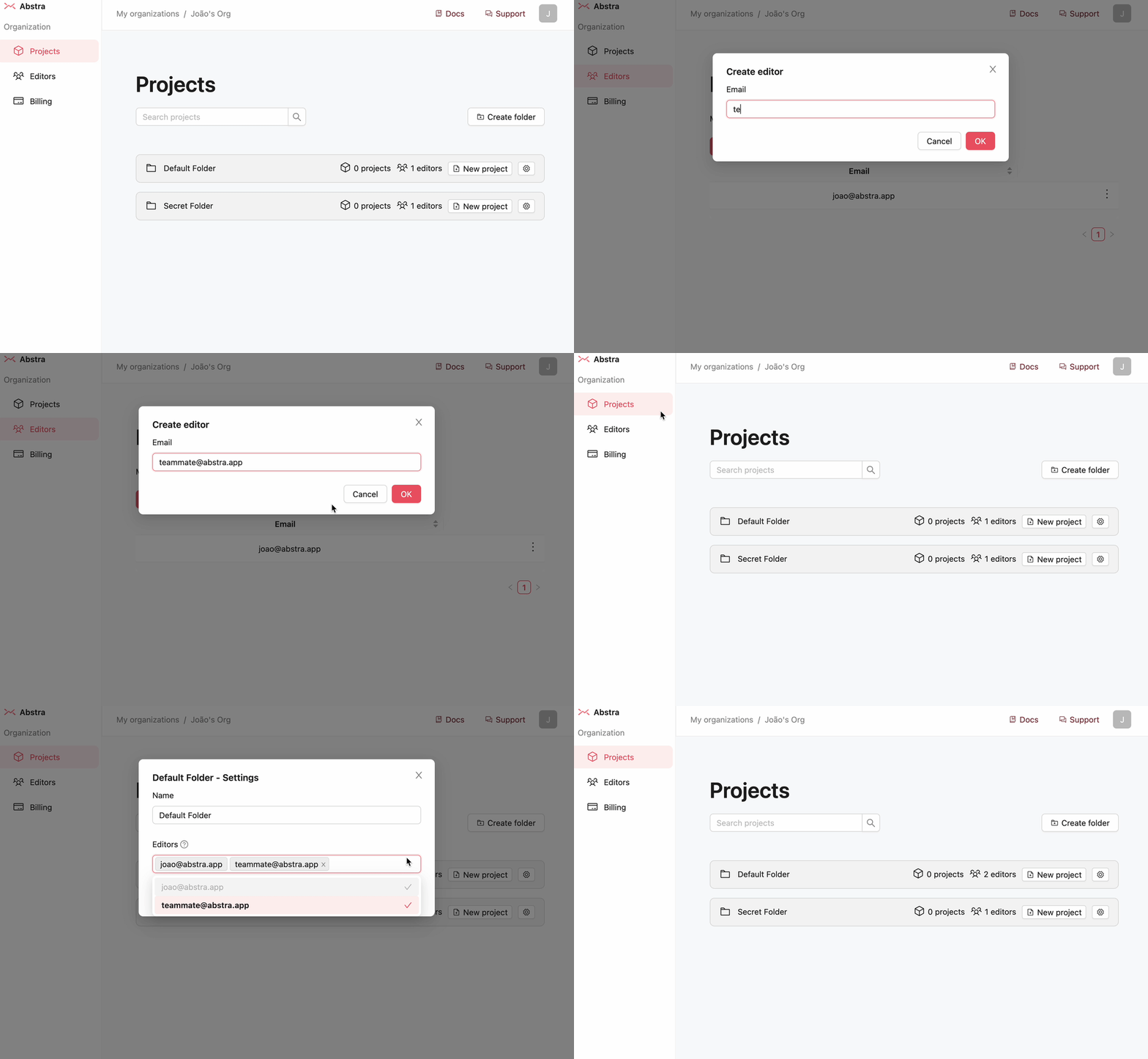
Inviting Editors